

.png?width=48&height=48&name=Adrian%20(1).png)
1/ Optimise Your Product Titles and Descriptions
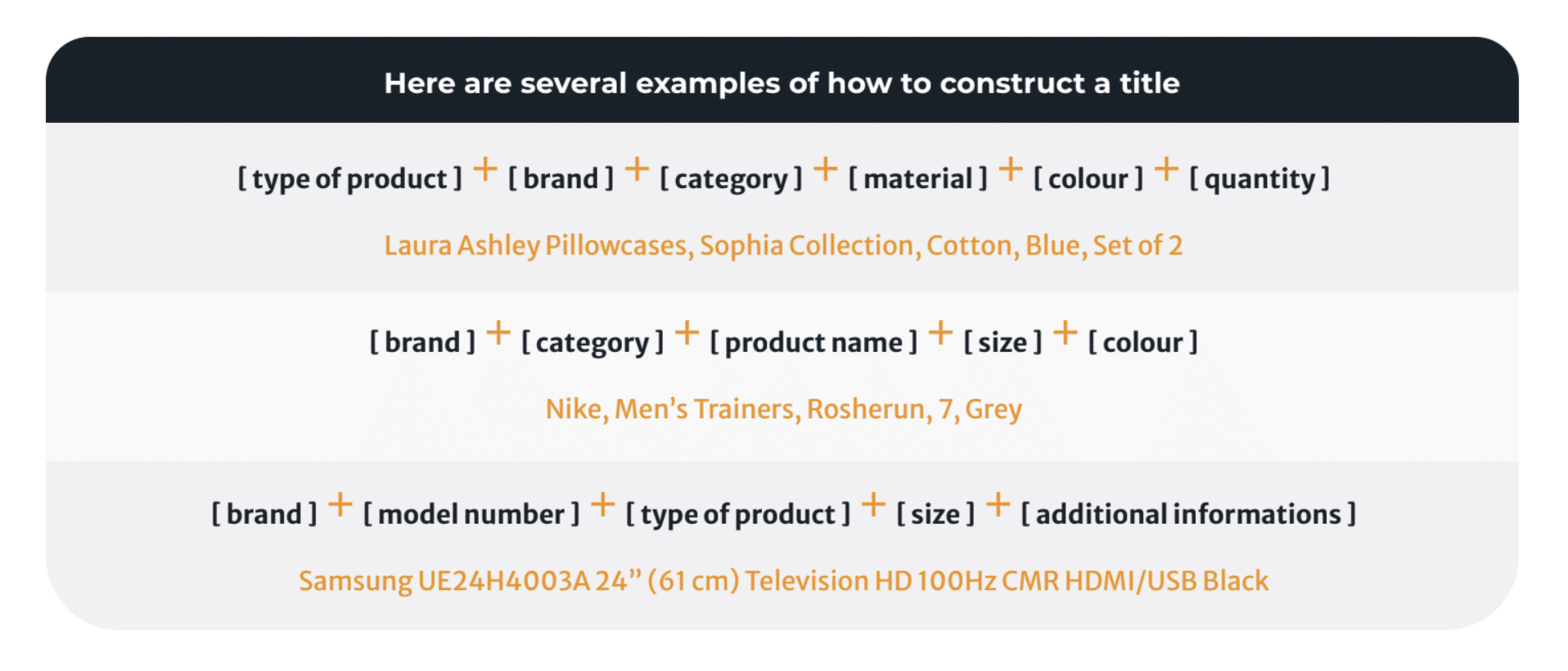
Product titles (200 characters) and descriptions (max. 2000 characters) are crucial for attracting potential customers and increasing click-through rates. To optimise them, use relevant keywords and phrases that describe your product accurately. Be sure to use your primary keyword at the beginning of your title, as this can help improve your product's visibility in search results. Also, ensure that your product descriptions are informative and easy to read, highlighting your product's unique features and benefits and that they comply with Amazon's guidelines and policies. Tip: Thanks to Lengow’s automatic rules, you can easily adapt your product titles to suit Amazon’s nomenclature. Some ideas on where to start:
- Use descriptive keywords in your product titles and descriptions to help potential customers find your product.
- Start your title with the most relevant and essential information, such as the brand name or product type. Make sure that your product's brand name and manufacturer are correctly spelled and formatted.
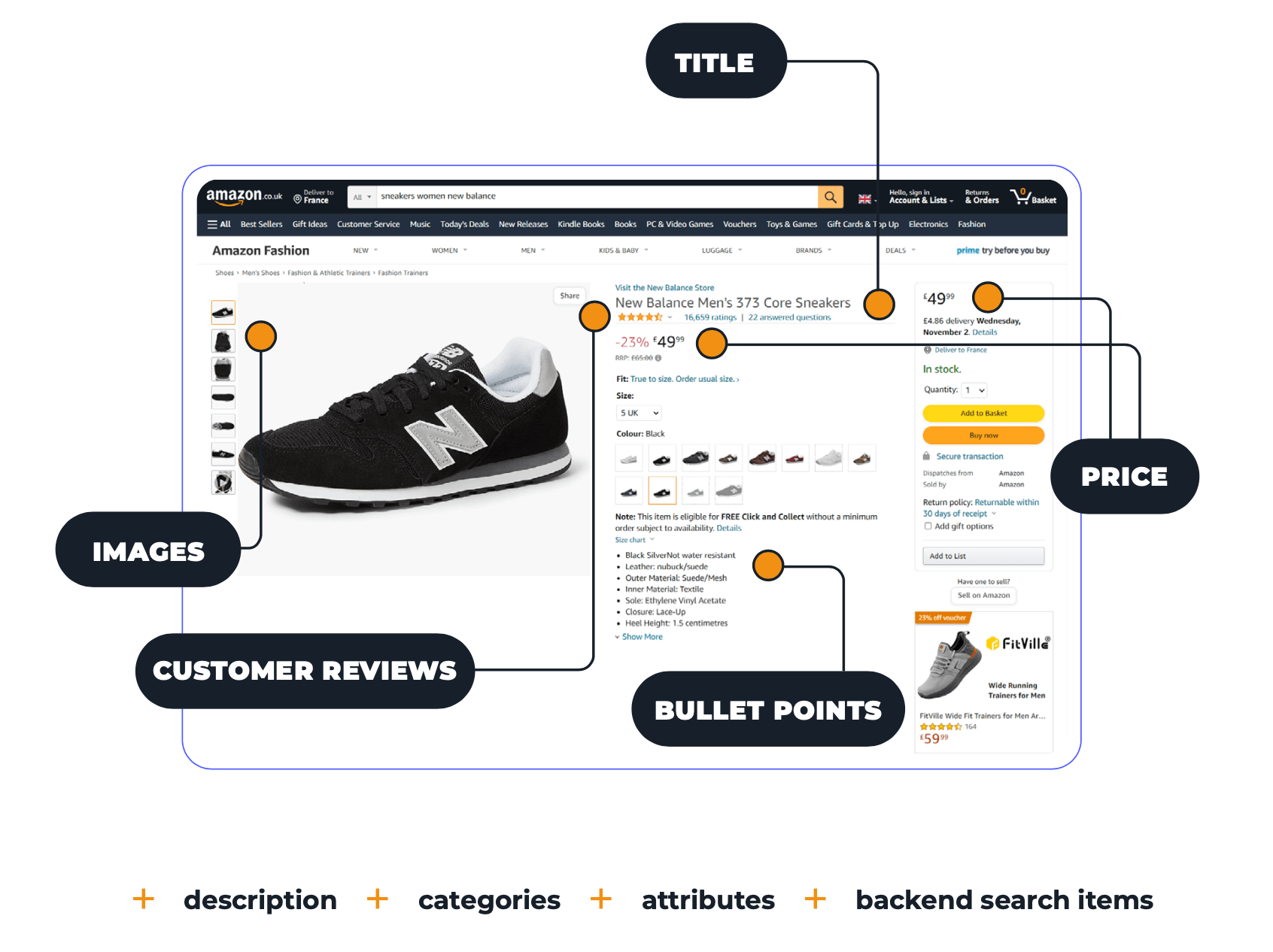
- Use bullet points in your product description to make it easy to read and highlight your product's features and benefits. Due to their proximity to the title, image, price, and Buy Box, bullet points are an essential field for keywords as well as your product’s key features and benefits. They also seem to have more influence on ranking than the description does.
2/ Optimise Your Product Images
High-quality product images can significantly impact your product's visibility and sales. Amazon requires that your product images meet specific criteria , including high resolution, proper lighting, and a white background. In terms of formatting, the ideal size is a minimum of 1000x1000 pixels so as to activate the zoom feature . The product must take up at least 85% of the total image and be on a 100% white background. The main photo must not feature any text (however text is allowed on additional images). To optimise your images for your Amazon product feed, ensure they meet these criteria and accurately depict your product. More tips:
- Use high-quality images that accurately represent your product and meet Amazon's image guidelines.
- Use multiple images to showcase your product from different angles and perspectives. Maybe even add a video of the product.
- Use lifestyle images to show your product in use and help potential customers envision themselves using the product.
3/ Use Accurate Product Attributes
Product attributes , such as size, color, and material, are essential for helping customers find and purchase your products. Ensure that your product attributes are accurate and match the product's description. Precise product attributes can also help improve your product's visibility in Amazon search results: During the search, attributes such as brand, size, and colours help buyers find your product. It is therefore recommended that you complete all the attributes and not just the mandatory ones . Example: If you sell coffee machines, the brand and the capacity are attributes that will refine searches. Keep in mind to:
- Ensure that your product attributes accurately match your product and its description.
- Not only use mandatory but also specific and detailed attributes to make it easier for potential customers to find your product.
- Use Amazon's recommended attributes for your product category to improve your product's visibility in search results.
4/ Use Amazon's Category-Specific Guidelines
Amazon has specific guidelines for each product category , such as clothing, electronics, and home goods. It is important that you follow these guidelines when optimising your Amazon product feed, as this can help improve your product's visibility. Tip: Match your product catalogue’s fields to those expected by Amazon. Create an organised and well-structured catalogue by matching your product categories easily with those required by Amazon via “Category Matching” on the Lengow platform. Key elements:
- Check Amazon's guidelines for your product category and ensure that your product feed meets all the requirements.
- Use Amazon's recommended titles and descriptions for your product category to improve your product's visibility in search results.
- Use category-specific keywords in your product titles and descriptions to help potential customers find your product.
5/ Always Keep an Eye on Your Product Feed Performance
Monitoring your Amazon product feed's performance is essential for identifying issues and improving your product's visibility and therefore sales. For example, it is essential to synchronise the indexations of your Amazon feed with your product catalogue updates to thus synchronise your e-commerce site’s stock with Amazon’s. You will then avoid putting items that are no longer in stock up for sale. Also, systematically check your error integration reports (delivered by feed management tools such as Lengow) after you upload a feed to ensure your products are set up correctly (product feeds) or updated correctly (offer feeds). These reports only contain products that have not been accepted by Amazon. Amazon specifies the reason for the error message, so you can quickly correct and reupload the product. Use Amazon's performance metrics to monitor your product's performance , including click-through rates, conversion rates, and Buy Box percentage. Use this information to identify areas for improvement and make necessary changes to your product feed .
.png?width=64&height=64&name=Adrian%20(1).png)
Adrian Gmelch
Adrian Gmelch is Director of Content at Lengow, where he leads content strategy while staying firmly hands-on: reading the research, and tracking the trends that matter before they go mainstream.


.png)