

.png?width=48&height=48&name=Adrian%20(1).png)
Step 1: Prioritize Accurate and Transparent Product Data
The foundation of Google Shopping success lies in the accuracy and transparency of your product data. This encompasses every aspect of your products, from detailed descriptions and correct pricing to up-to-date stock availability. Inaccurate or misleading information can lead to poor customer experiences and negatively impact your brand's reputation.
Key metrics to monitor
- Accuracy of product descriptions and specifications.
- Consistency in pricing across different platforms.
- Real-time updates on product availability.
Step 2: The Role of Tools in Feed Management
Efficient management of your Google Shopping feed is non-negotiable. This can be approached in several ways.
Manual creation is one of them. While time-consuming, this approach offers complete control over every aspect of your feed. On the other side,
feed management tools like Lengow automate and streamline the feed management process, reducing the potential for errors and saving valuable time.
For larger retailers, using a content API can provide a more dynamic and responsive way to manage product feeds.
Advantages of using feed management tools
- Automation of routine updates and changes.
- Improved accuracy and consistency in product data.
- Enhanced scalability and efficiency.
Step 3: Embracing Automation in Routine Tasks
Automation in Google Shopping management isn't just a convenience; it's a necessity for scaling and maintaining efficiency. Automated processes can handle repetitive tasks such as bid adjustments, product updates, and data analysis, freeing up time for strategic planning and creative campaign development.
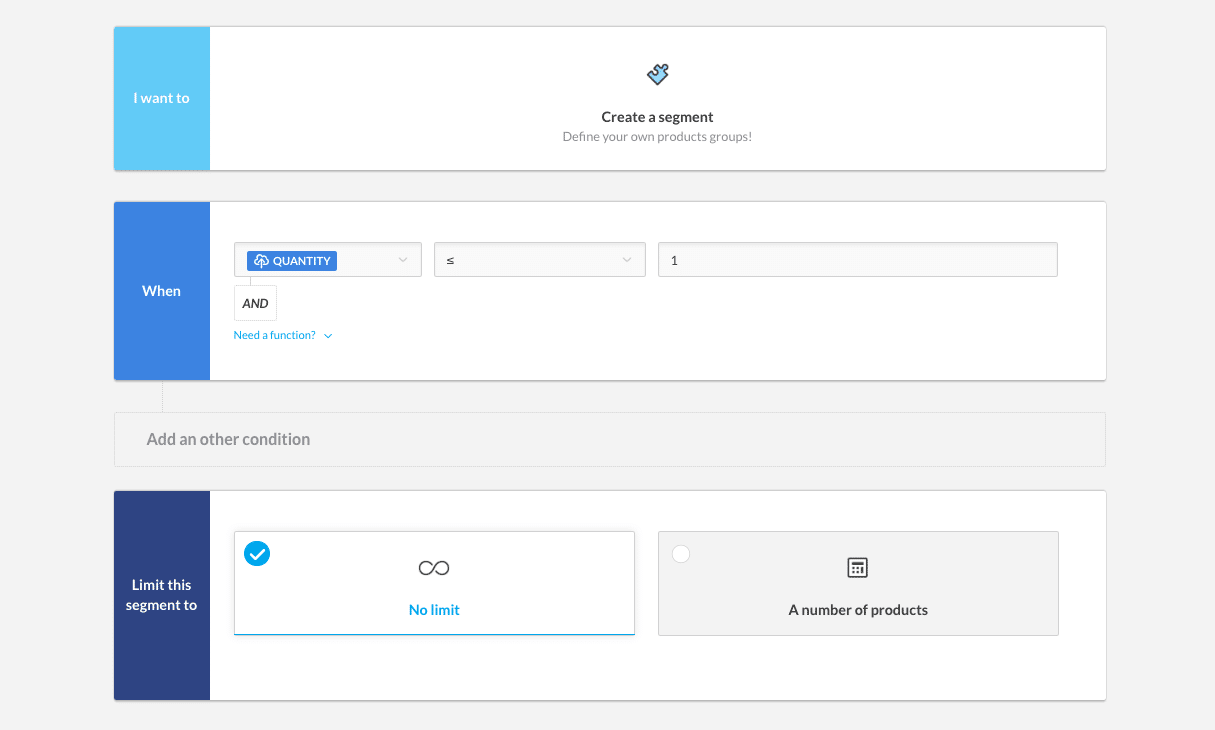
An example of an automatic rule that excludes automatically products out of stock (source: Lengow)
Lengow, for example, uses
automatic rules to segment and label products, a process that is crucial for effective campaign management. This segmentation allows for targeted marketing efforts, making sure that the right products are shown to the right customers at the right time.
Benefits of automation
- Increased efficiency and time savings.
- Reduced human error.
- Ability to focus on strategic tasks.
Step 4: Knowing Your Products and Customers
Understanding your products and customers is crucial for Google Shopping. This knowledge helps create targeted campaigns that resonate with your audience and highlight the unique selling points of your products.
Strategies for understanding customers
- Conduct market research and customer surveys.
- Analyze shopping behavior and trends.
- Use customer feedback to refine product offerings.
Step 5: Step-by-Step Campaign Management
Effective campaign management in Google Shopping involves several key steps:
- Google Merchant center account: The gateway to Google Shopping, where you upload and manage your product data.
- Optimize product imagery: High-quality images can significantly impact click-through rates.
- Create a product data feed: This is the heart of your Google Shopping campaign, containing essential product information.
- Link Google ads account: Essential for running and managing shopping campaigns.
- Create and manage campaigns: Setting up campaigns with specific goals and parameters.
- Bidding strategy: Developing a bidding strategy that maximizes visibility while maintaining budget efficiency.
- Targeting and scheduling: Tailoring your campaign's reach and timing to align with your target audience's behavior.
.png?width=64&height=64&name=Adrian%20(1).png)
Adrian Gmelch
Adrian Gmelch is Director of Content at Lengow, where he leads content strategy while staying firmly hands-on: reading the research, and tracking the trends that matter before they go mainstream.


.png)