
.png?width=48&height=48&name=Adrian%20(1).png)
1/ Optimizing promotional pricing: do more than just offer a discount
Black Friday is synonymous with price reductions, but succeeding in this competitive environment requires more than simply lowering your prices. The first step to dominating Google Shopping listings during this crucial period is
skillful promotional price management. Google Shopping allows you to specify two types of price for a product:
- [price]: This is the base price of the product. This price must remain constant and must be the same as the one indicated on the product page of your website.
- [sale_price]: This is where things get interesting. This is the price of the product after the discount has been applied.
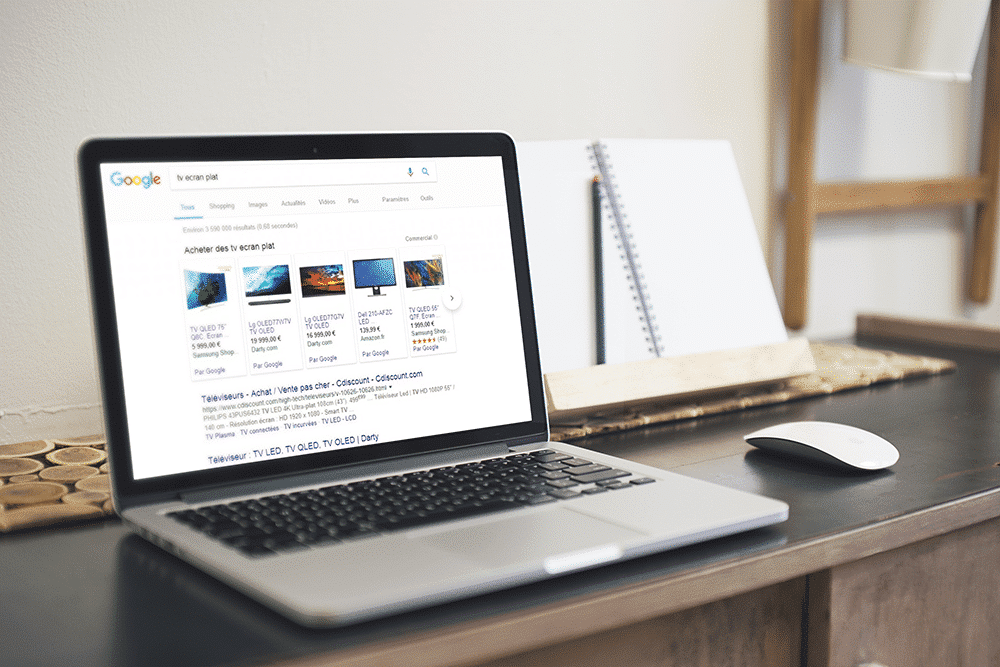
- Crossed-out price: The base price is crossed out, immediately creating a visual discount effect.
- "Promotion" badge: A "promotion" badge is added to the top left of your ad, attracting the consumer's eye.
- Promotional price in green: The promotional price is displayed in green, a color often associated with action and bargains.
- Presence of base price on page: The price must be visible on the product page of your website.
- Sales price lower than base price: The sales_price must absolutely be lower than the price.
- Base price history: The base price must have been available for at least 30 days in the last 200 days. This prevents misleading practices such as inflating prices before a sale.
- Offer duration: The sale_price must not be displayed for more than 30 consecutive days.
- Discount rate: The discount must be between 5% and 90%.
2/ Optimizing Google Merchant Center promotions: more than just an add-on, a strategic asset
If promotional price optimization is the backbone of your Google Shopping ads,
promotions via Google Merchant Center (GMC) are the muscle that brings all the power. Don't think of these promotions as simply a complement to promotional pricing; they can be a strategic weapon in your arsenal to maximize the visibility and effectiveness of your ads during Black Friday.
Types of promotions in Google Merchant Center There are several types of promotion you can add via Google Merchant Center. Each has its own advantages and is suitable for different types of products and strategies:
- Discount of a certain amount: For example, "Save $10 on any order over $100". It's simple and easy for consumers to understand.
- Percentage discount: A popular option during Black Friday, such as "30% off selected items".
- Gift (free gift, gift card, etc.): For example, "Buy a smartphone and receive a free shell".
- Free delivery: A timeless classic that removes a major obstacle to conversion.
3/ Optimization with Custom Labels: The power of strategic segmentation
Custom Label attributes allow you to really optimize your Google Shopping feeds and double your revenues! (see above for an example of a case study on Custom Labels from storegrowers)
If you think Google Shopping is all about adjusting prices and offering a few promotions, think again.
Custom Labels give you a depth of control that can literally transform your advertising campaigns. Basically, they work like tags that help you categorize your products so you can implement more targeted advertising strategies. Here's how you can use them to boost your sales during Black Friday.
Why Custom Labels? Custom Labels allow you to segment your product catalog according to various criteria that you can choose. For example:
- Seasonality: Tag specific products like "Winter" or "Black Friday" for seasonal campaigns.
- Performance: Tag products like "Best-sellers" or "Low Turnover" to adjust your bidding strategy.
- Margins: Identifying high-margin products lets you know where more aggressive bidding could be more profitable.
Examples of Custom Labels for Google Shopping
How to use Custom Labels in Lengow and Google Merchant Center (GMC)
- Create up to 5 Custom Labels in Lengow: Use the Lengow interface to easily create custom labels for your product catalog.
- Use them in your GMC: Once created in Lengow, you can easily integrate these labels into your Google Merchant Center.
- Strategic segmentation: Use your company data and KPIs to strategically segment your campaigns.
- A/B testing: Custom Labels offer an excellent opportunity for A/B testing. For example, you can test the effectiveness of two types of promotion using two different Custom Labels.
- Balance: Don't fall into the trap of over-segmentation. You could end up making your campaigns too complex to manage and analyze.
- Alignment with objectives and budget: Make sure the products you label match your campaign objectives and budget.
- Adaptability: Custom Labels are not set in stone. You can and must adjust them as performance and strategies evolve.
4/ Optimizing competitiveness and profitability: Your key to a successful Black Friday
Once you've optimized prices, made the most of promotions and strategically segmented your products with Custom Labels, it's time to move on to the last but no less crucial step:
optimizing competitiveness and profitability. By using sophisticated tools such as the
Google Shopping tracking module developed by Netrivals (the Lengow price intelligence tool), you can turn your Google Shopping campaign into a model of profitability.
Google Shopping tracking module by Netrivals With this Lengow-integrated tool, you can easily track the top 50 sellers of your products and monitor their prices and shipping costs. By knowing exactly where you stand in relation to the competition, you can dynamically adjust your prices.
Advantages :
- Competitive intelligence: Stay one step ahead of your competitors by adjusting your prices in real time.
- Reactivity: React quickly to market changes during flash sales like Black Friday.
Price vs. competition (Additional Netrivals sources)
Dynamic Pricing
Dynamic Pricing is a powerful lever for optimizing your Google Shopping campaigns, allowing you to adjust your prices in real time to stay competitive.
- Price vs. competition: Use additional data sources, such as Netrivals, to adjust your prices in line with those of your competitors.
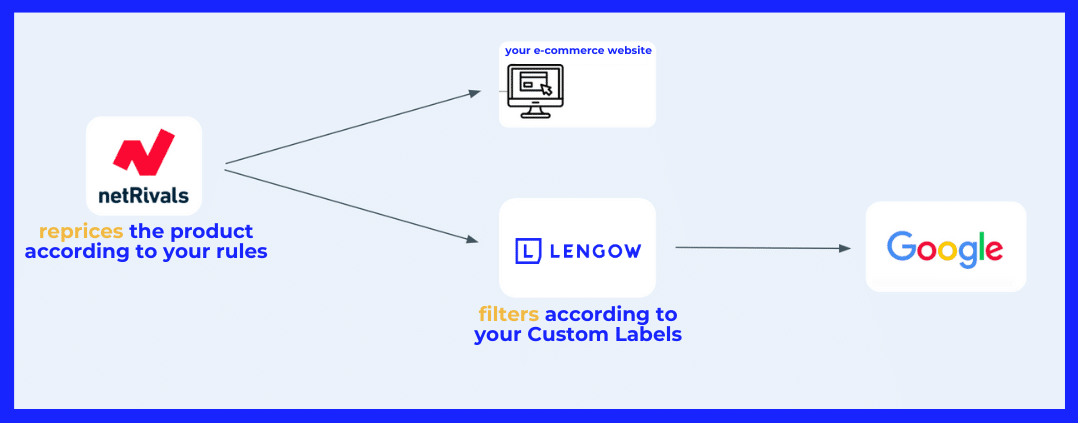
- Automation with Lengow: Netrivals reprices the product according to your rules, and Lengow filters these adjusted prices according to your Custom Labels, allowing you to implement an ultra-targeted pricing strategy.
- Establish clearly defined rules: Don't leave your pricing to chance. Establish rules based on clear KPIs to adjust prices.
- Flexibility: Make sure you set limits to maintain profitability. Don't let the competition push you into discounts that could hurt your bottom line.
- Use data: Analyze past performance to understand how price changes have affected sales, and adjust your strategy accordingly.
.png?width=64&height=64&name=Adrian%20(1).png)
Adrian Gmelch
Adrian Gmelch is Director of Content at Lengow, where he leads content strategy while staying firmly hands-on: reading the research, and tracking the trends that matter before they go mainstream.
.png)