
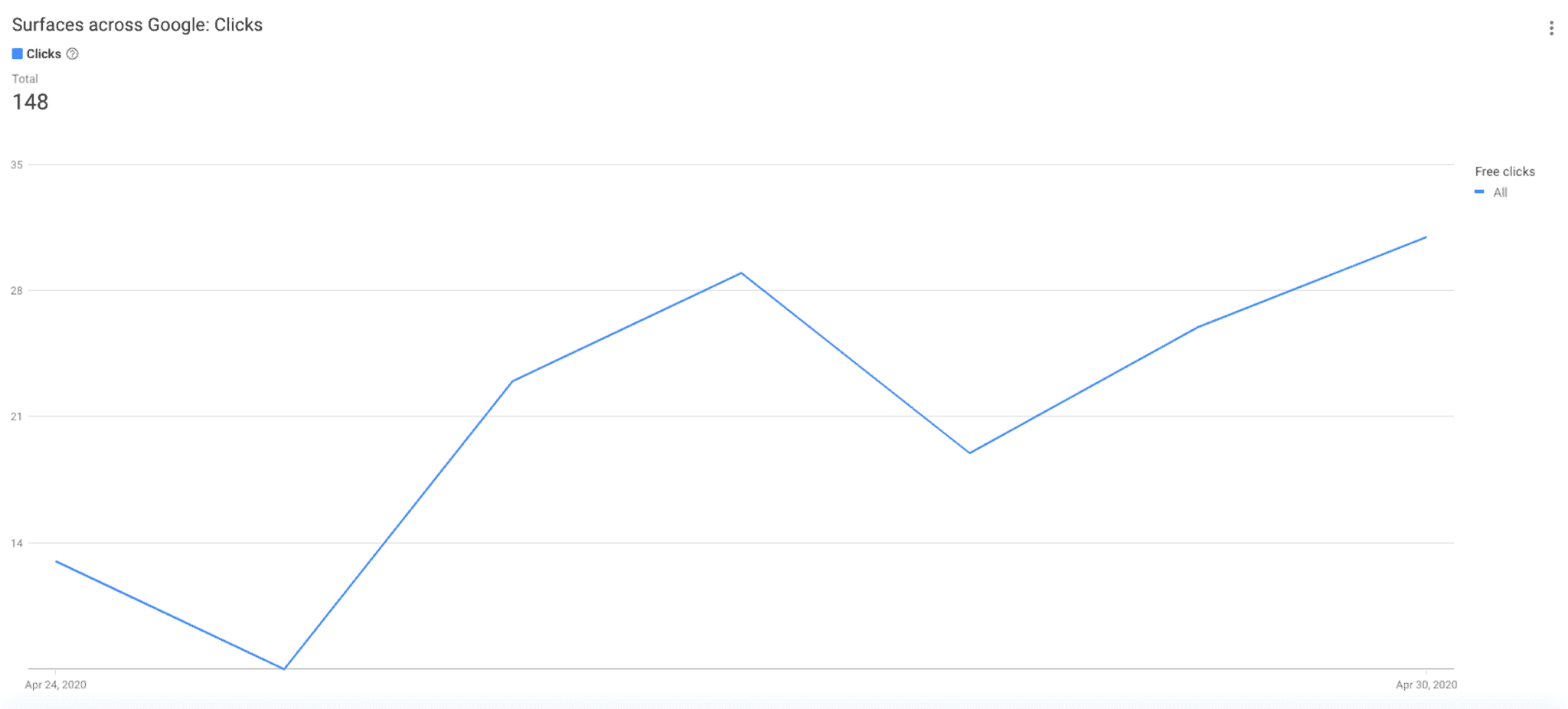
In the "performance" section of
Google Merchant Center
you have access to a graph displaying the click volumes coming from this traffic (by date).
Reminder: Google Merchant Center allows you to import data related to your product catalog directly on Google Shopping and manage your product feed in real-time.
Unfortunately, the data presented is insufficient to carry out any deep analysis. Several pieces of data that you require daily are missing: conversions, traffic quality (time spent, bounce rate), etc.
Ideally, this data should be displayed in Google Analytics to have a global view and to be cross-referenced with other data. Currently, this traffic is attributed to "Natural Search" in Google Analytics. However, this source includes both organic traffic coming from the Shopping tab and traffic from Google’s search engine, preventing you from accessing clear data.
At first glance, it’s difficult to track these clicks, however, it's possible with a few manipulations of your feed on Lengow. Let’s dig deeper!
Track your product URLs
For paid campaigns, Google
adds automatic tagging to your URLs
using the Google Click ID (GCLID). Your paid clicks are then processed in Google Ads.
However, you can add additional organic tracking in parallel for your free ads. Here, you will need to add specific UTMs to your product URLs yourself.
GCLIDs are only associated with paid traffic via Google Ads. Your organic URLs (used for free ads in Google Shopping) will not be displayed in Google Ads and will therefore be set up with your UTMs.
Like this, you will be able to distinguish free links from paid links which keep the automatic tagging.
Important information for the set-up:
- Ensure that automatic tagging is enabled on your campaigns in your Google Account so your data on paid campaigns is well displayed.
- Verify that priority is given to your paid campaigns if your URLs are double-tagged (paid and natural). By automatically adding natural tracking to the URLs in your feed, all your paid clicks will be double-tagged (unlike free clicks which will only have natural tracking).
- To do this, go to Settings in Google Analytics and uncheck "Allow manual tagging (UTM values) to override auto-tagging (GCLID values)”.
- utm_source=google_shopping
- &utm_medium=organique
- &utm_campaign=feed-google
- Via a feed management platform like Lengow, you can use rules to add UTMs quickly. At the attribute matching stage, automatically add the UTMs of your choice to your product URLs that will be sent to Google Shopping.

Tip: If you're distributing products on other channels, consider creating a specific feed for Google Shopping with the assigned UTMs. Otherwise, your Google Analytics data will be distorted. On Lengow, you can use
Segments
allowing you to adapt your feed's settings according to the chosen marketing channels and their specificities.
- If you don't have a feed manager, you can still edit the feed directly through your Google Merchant account. In the tool, modify two attributes: "ads_redirect", representing the redirection URL, and "link" in which you will be able to fill in your product URLs enriched with your UTMs.
Go further by optimizing your results with the Google Analytics app from Lengow
Thanks to the Lengow Connector for Google Analytics you can retrieve statistical data from your e-commerce site and link it with your product catalog. This gives you a global view of your business, enabling you to set up distribution rules to increase your sales and achieve your business goals.
The UTMs previously added to your product URLs that are distributed for free on Google Shopping will allow you to analyze the impact of these ads in depth. For example, you can collect the following information and enrich your product catalog with your
Google Analytics data
:
- Product adds to cart,
- Product checkouts,
- Product detail views,
- Product list clicks,
- Product revenue,
- Etc.
Want to know more about setting up Google Shopping on Lengow or about Lengow’s application for Google Analytics? Visit our platform or get in touch with our team.
Image: Google Merchant Center
.png)