Google has just announced a new Google Shopping product feed update. Whether they are compulsory for your feed or simply recommended by Google, these updates aim to optimise your catalogue and improve your Shopping adverts’ performance. Discover the latest developments and the attributes in question.

Obligatory updates for the following attributes ‘image_link’, ‘gtin’ and ‘Google product category’
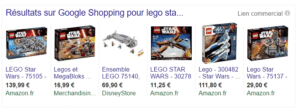
Increasing the minimum image size
From now on, photos in the [image_link] attribute have to be
at least 100x100 pixels. Clothing items are excluded from this update;
the minimum pixel size for clothing images will remain the same (250x250 pixels). Google has revealed that products with high-definition images generate the most sales, and the best click rate. As a result,
Google strongly recommends an image size of at least 800x800 pixels for all categories.
Deadline for implementation: 1st September 2016
GTIN codes now required in all countries
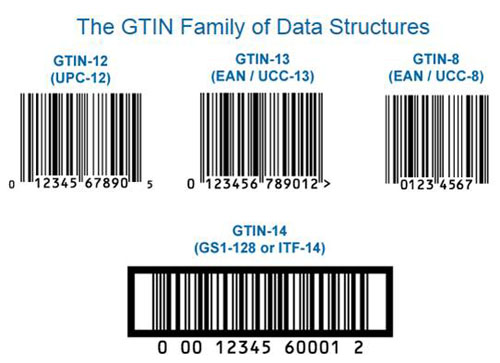
In March, Google announced that the [gtin] attribute (Global Trade Item Number) would be a compulsory requirement for feeds targeting some countries by 16th May 2016. Now, Google has extended this requirement, and
it is a mandatory for all countries. The goal is to make it easier for Google Shopping users to identify products and to boost sales for retailers.
Deadline for implementation: 31st January 2017
Enhanced requirements for Google product categories
There are also changes concerning the [google product category] attribute. Retailers in all countries will now
have to fill in this attribute for the following categories: ‘clothing and accessories’, ‘media’ and ‘software.’ Although it is only mandatory for these three product groups, Google recommends you fill in this attribute for all product categories.
Deadline for implementation: 31 January 2017
Google’s recommended updates: Unit Pricing and Microdata
Definition of Product Unit Pricing
Up until now, only a few product categories and countries (USA, EU and Switzerland) have had access to product unit pricing. Now,
product unit pricing is available in all markets and for all Google product categories. This lets your customers know your product’s unit price. If you want to provide this information, go to the Diagnostics tab in your Merchant Center. Download the report to see Google recommendations as to which products you should display the unit price for. Then, indicate an exact value for each product in the [unit pricing measure] attribute. You should note that you can also include the [unit base pricing measure] to provide more information. This step is subject to validation from Google.
Continuously updated product data
Google strongly recommends that you
integrate microdata schema.org into product destination pages that you send to Google Shopping. By doing so, Google can retrieve up-to-date information directly from your online shop, and you prevent possible discrepancies in terms of price and product availability. You can
update this data from your inventory feed, managed by Lengow.
Reminder
Google has also reiterated that the
values [colour] and [size] will be mandatory in Germany, France, Japan and the UK from 1st September 2016. This requirement will let Google display the most relevant products to online shoppers. The more values you add to your products, the more precise your description will be, which will allow online shoppers to find your products more easily using the filtering function. Finally, the file size of your Google Shopping feed has to be between
1 and 4 GB.
To know more about Google Shopping




.png)